Page 1 of 1
Schuitz's pano pics

Posted:
Mon Jun 01, 2009 4:22 pmby schuitz
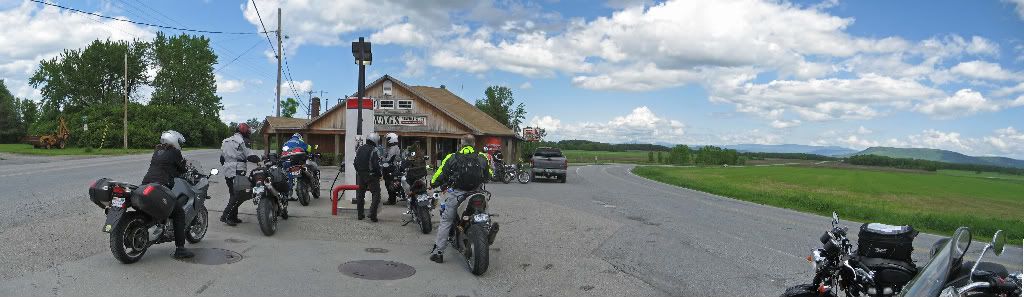
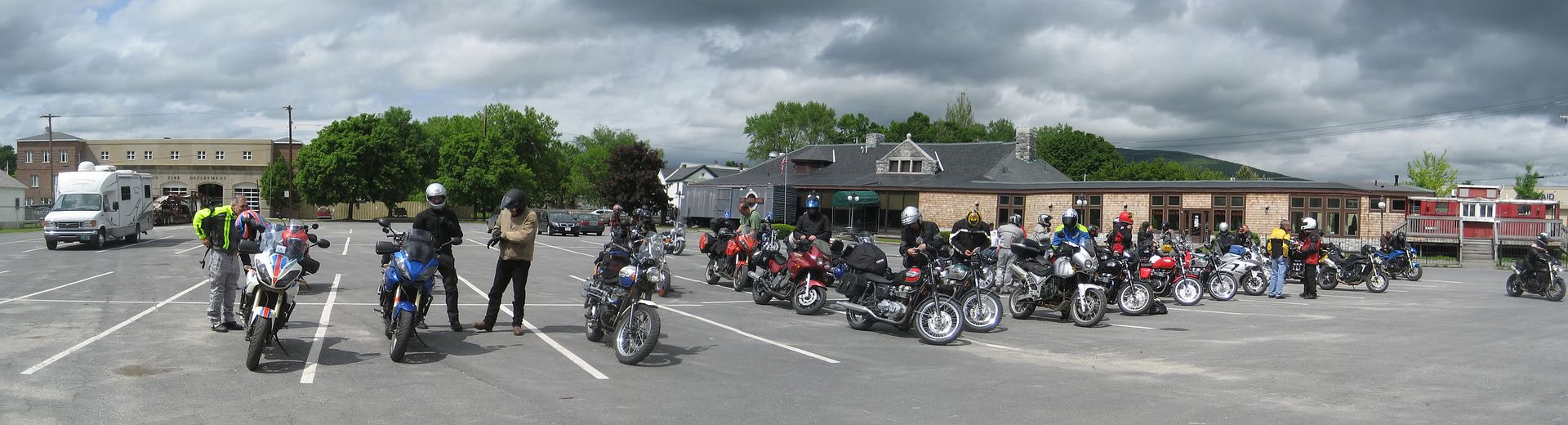
I didn't want to tack these onto the existing photo thread because I have a feeling it will make the existing thread mega wide. Here are some of the panos I took this weekend.
The BBQ lookout stop photo is enormous. Sadly one on the images in the sequence is a bit out of focus, sorry fellas. Can't win em all. Plus there is something a little fishy going on...

EDIT: Brian doppelganger was easily resolved, though it was more amusing that way.
I count 37 bikes:

Enjoy,
Mike
Nice
Posted:
Mon Jun 01, 2009 4:26 pmby TonUp
Brian (lzardking) has a twin brother?
Nice pics! Thanks!
Tito
Ton Up!
Posted:
Mon Jun 01, 2009 4:34 pmby schuitz
LOL a car got into shot #2 in the sequence so I re-shot. I guess he moved over during that interval.
Posted:
Mon Jun 01, 2009 5:06 pmby amrehm
Mike, that 1st one is great. Thanks for posting.
Alan
Posted:
Mon Jun 01, 2009 5:07 pmby mark
Hey Brian, where'd you get the copy of yourself? I'd like to get a copy of me that I can send to work while the real me goes for nice long motorcycle rides.
Great shots, Mike!
--mark
Posted:
Mon Jun 01, 2009 6:40 pmby davidc
Wow! That's like magic! Better than a pan o' cornbread.
Posted:
Tue Jun 02, 2009 1:48 pmby lzrdking61
Isn't 1 of me enough ?

Posted:
Wed Jun 03, 2009 10:28 amby schuitz
For anyone who cares, the first shot is thirteen 5MP shots stitched together using Photomerge Panorama in Photoshop Elements. Each shot overlaps by about 50%. The full res is 21601x1647 pixels
The Photomerge algorithm is fantastic, you just put the photos in, wait a few seconds, and poof. Will work with any digicam. I highly recommended you try it the next time you have a shot that just doesn't want to fit in a single frame. As for what to do with them after, I've printed 3up 8"x36" panos on a 24"x36" sheet for $50CDN at the local lab, a pretty reasonable cost per print..
Not that anyone was clamoring to ask me the details, but I've been pretty chuffed about the photographic flexibility of the format.
Posted:
Wed Jun 03, 2009 11:42 amby bennybmn
I saw a cool panoramic shot once (and yours is cool too!!) that I thought would be fun to make a 1/4 circular frame for. Like a 1/4 round of a cylinder, and mount it in the corner of a room, wrap around style. Might have to give it a try
8X36 would make a nice size too.... Hmmmmmm, gotta get back into the woodshop!
Posted:
Wed Jun 03, 2009 7:25 pmby unclecharlie
schuitz wrote:For anyone who cares, the first shot is thirteen 5MP shots stitched together using Photomerge Panorama in Photoshop Elements. Each shot overlaps by about 50%. The full res is 21601x1647 pixels
The Photomerge algorithm is fantastic, you just put the photos in, wait a few seconds, and poof. Will work with any digicam. I highly recommended you try it the next time you have a shot that just doesn't want to fit in a single frame. As for what to do with them after, I've printed 3up 8"x36" panos on a 24"x36" sheet for $50CDN at the local lab, a pretty reasonable cost per print..
Not that anyone was clamoring to ask me the details, but I've been pretty chuffed about the photographic flexibility of the format.
I don't even know how to post pics, so that panoramic view is amazing!
Last year, I took a couple of pics there, and almost got hit by a car crossing the street!
Well done,
Uncle Charlie
Posted:
Wed Jun 03, 2009 9:14 pmby Touko
I see my bike! I see my bike! I see my bike! Hey, where the f#%^K am I!!! Oh yeah, I'm across the street taking taking pics. Nice man.
Todd
Posted:
Wed Jun 03, 2009 10:41 pmby schuitz
@unclecharlie and others, you upload your picture to photobucket or flickr, and then you can link to the image in the message like this:
img]http://i714.photobucket.com/albums/ww142/schuitz/MollyStark_pano_3a.jpg[/img
where I've left off the [ and ] from the ends so it doesn't actually do it this time. Photobucket has this code ready to copy and paste into your message, under the picture.
Posted:
Wed Jun 03, 2009 11:25 pmby schuitz
@unclecharlie and others, you upload your picture to photobucket or flickr, and then you can link to the image in the message like this:
img]http://i714.photobucket.com/albums/ww142/schuitz/MollyStark_pano_3a.jpg[/img
where I've left off the [ and ] from the ends so it doesn't actually do it this time. Photobucket has this code ready to copy and paste into your message, under the picture.
Posted:
Thu Jun 04, 2009 12:03 pmby bennybmn
Many of us have tried to give UC a tutorial, I've moved on